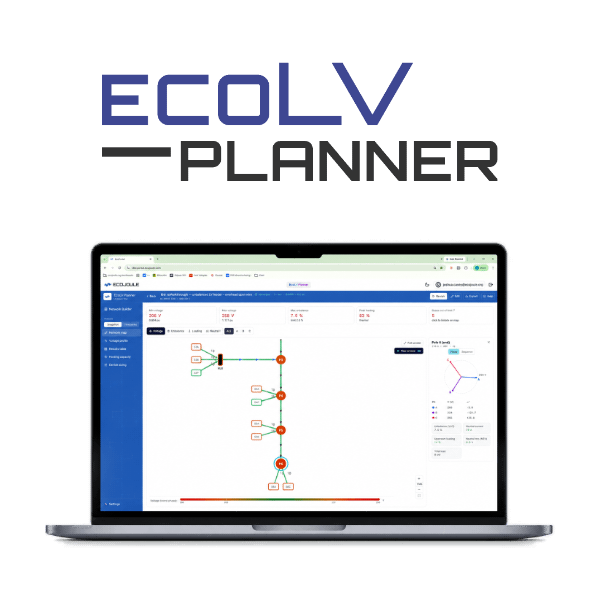
EcoLVPlanner is a web-based planning tool for low voltage distribution feeders. It runs an unbalanced three-phase load flow, reports voltage, unbalance, loading and hosting capacity, and calculates where an EcoVAR LV STATCOM will resolve voltage violations. The network builder, load flow and EcoVAR placement are available for utility engineers on request – accessible at https://portal.ecojoule.com
What the load flow reports
The solver models each phase and the neutral separately, so it shows the effects that a balanced model hides: phase voltages diverging along the feeder, neutral current, and voltage unbalance from single-phase loads and solar. Each run reports:
- Voltage: minimum and maximum phase voltage, and the buses outside the limits of the selected voltage standard
- Unbalance: voltage unbalance factor at each bus, against a 2% limit
- Loading: transformer and conductor loading as a percentage of thermal rating, and neutral current
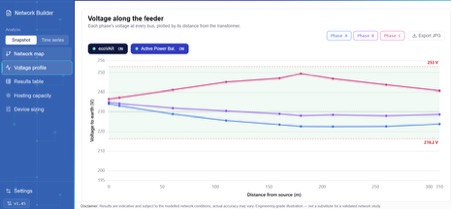
- Profiles: per-phase voltage against distance from the transformer, and a per-bus results table
- Time Domain: Run time-domain analysis of 24 hours or a year to consider seasonal impacts and load changes
Studies run as a single operating point (snapshot) or across a 24-hour load and generation profile (time series).
Workflow
- Build the feeder. Place the transformer source, buses, loads, PV, capacitors and EcoJoule devices on the canvas. Set conductor length and impedance per kilometre, and assign phases to each load. Load profiles import from CSV. Alternatively, an AI prompt is included for utilities to convert their data into compatible JSON in their controlled internal environment. This JSON can be pasted into the tool and render the network.
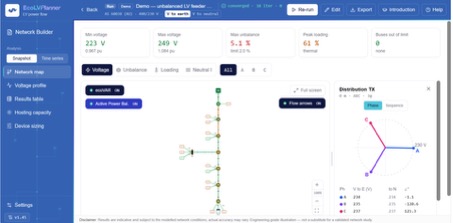
- Run and review. The network map colours each bus by voltage, unbalance, loading or neutral current. Select a bus to see its phasor diagram and Thévenin impedance.
- Place an EcoVAR. The tool calculates the location and number of EcoVARs that bring the feeder within limits, then reruns the load flow to show the before-and-after result.
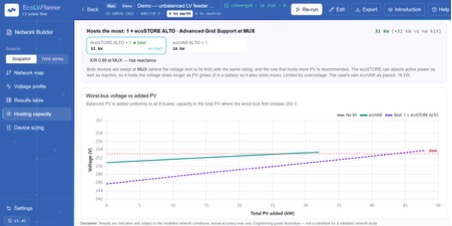
- Check hosting capacity. Compare the solar hosting capacity of the feeder with no equipment, with an EcoVAR and with an EcoSTORE.
- Export. Save the case file to share or revisit, or export a PDF report of the results.
How EcoVAR placement is calculated
The tool selects the electrically weakest bus at or upstream of the voltage violations. A device there supports its own bus and every bus downstream of it, so it clears the most violations per kVAr. The tool reports the X/R ratio seen at that bus, which indicates how effective reactive support will be. EcoVAR Volt-VAR settings and active power phase balancing can be set per device and rerun.
Hosting capacity is found by adding balanced PV uniformly across the feeder until the worst bus reaches the upper voltage limit (253 V under AS 60038). It is a planning indicator for comparing options, not a connection assessment.
Limits
EcoLVPlanner is a planning model. Its results depend on the conductor, load and generation data entered, and will deviate from field measurements. Comparing model results with measured data on your own network quantifies that deviation and improves later studies. The tool is hosted by EcoJoule and has no connection to installed EcoVAR or EcoSTORE units.
Requesting access
Utility engineers can access EcoLVPlanner at https://portal.ecojoule.com Access can be requested at sales@ecojoule.com
An Unbalanced Network corrected with an EcoVAR Placement in EcoLVPlanner
Feeder Voltage Profile
Solar Hosting Profile Calculation